
Dollar Tree Compass Registration: First-Time Account Setup
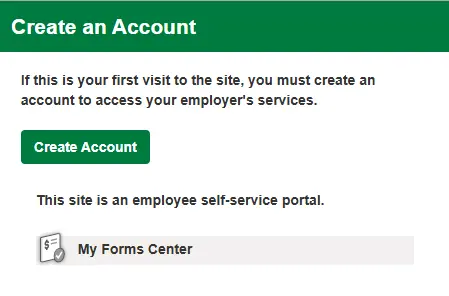
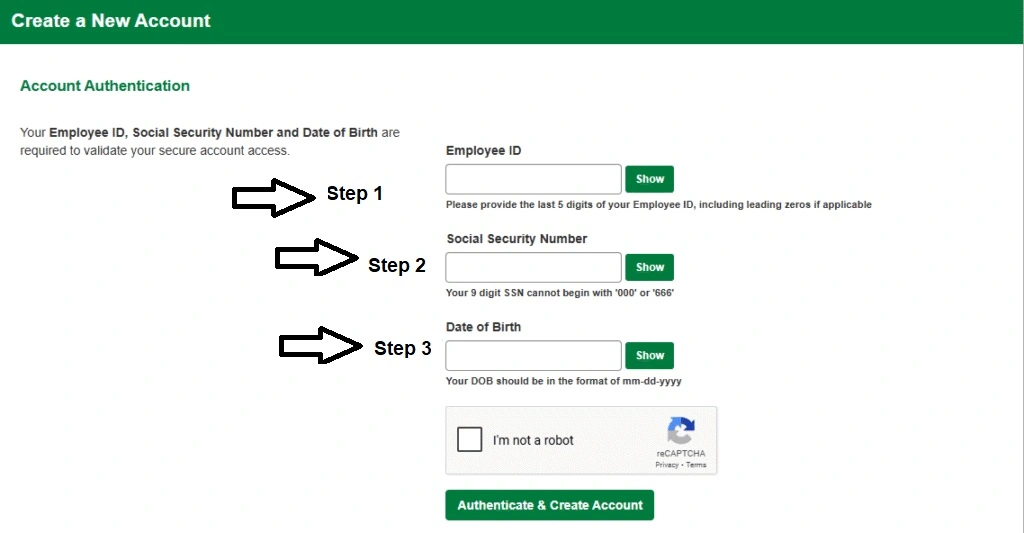
Looking for Dollar Tree Compass registration? Here’s the key thing to know: there is no public “Sign Up” option on the Compass portal. Your account is created by Dollar Tree when you’re hired — you don’t register yourself. What you actually need to do is complete your first-time login, and this page walks you through exactly that: what you need, the setup steps, common problems, and where to get help.
Quick Access Links
Who Gets a Compass Account
Compass access is set up by your employer, not by you:
- Login details come from your Store Manager or HR — not from an online signup form
- Active Dollar Tree and Family Dollar employees
- New hires, once onboarding is processed
- Access level may depend on your role and store
What You Need Before Your First Login
Keep these ready before you start:
- Your WFM username / employee ID (provided by your manager or HR during onboarding)
- Your default password (details below)
- A stable internet connection
- An updated browser (Chrome or Edge on desktop, Chrome or Safari on phone)
How to Set Up Your Dollar Tree Compass Account (First-Time Login)
Setting up your account simply means logging in for the first time:
- Get your WFM username / employee ID from your Store Manager or HR
- Open the official portal at compassmobile.dollartree.com
- Enter your WFM username
- Enter your default password — usually the 2-digit birth month + last 2 digits of birth year + last 4 digits of your SSN (example: born July 1997, SSN ending 9375 → 07979375)
- On your first login, the system will ask you to create your own new password — choose something strong that you’ll remember
- Log in again with your new password to confirm everything works, then open Clock-In Info from the dashboard to see your schedule
If the default password doesn’t work, formats can vary by store — ask your manager or HR for your assigned default password. Full password details are in our Password Reset Guide.
Common First-Time Setup Problems
- No Sign Up or Register button on the portal: This is normal — Compass has no public registration. Your account is created by your employer; you just log in with the details they give you.
- Default password not accepted: Double-check the format (month + year + SSN digits, no spaces). If it still fails, your store may use a different format — ask your manager.
- Username not recognized: New hires may not be in the system until onboarding is fully processed. This can take a few days — check with your manager.
- Page not loading: Refresh the page, try another browser, or clear your cache and cookies. More fixes in our Compass Login Guide.
- Account locked after failed attempts: Wait 15–30 minutes and try again, or ask your manager to help unlock it.
Where to Get Help
- Your Store Manager or Assistant Manager — fastest option for missing login details or new hire setup
- HR department — for onboarding and account questions
- mytree Associate Support line: 1-855-245-7994 (Monday to Friday, 8:00 AM to 8:00 PM EST)
FAQs
How do I create a Dollar Tree Compass account?
You don’t register yourself — Dollar Tree creates your account when you’re hired. Get your WFM username from your manager, log in at compassmobile.dollartree.com with your default password, and set a new password on your first login.
What is the default password for a new Compass account?
It’s usually the 2-digit birth month + last 2 digits of birth year + last 4 digits of your SSN (example: 07979375). If that doesn’t work, ask your store manager, as formats can vary by store.
Why can’t I see a registration or sign-up option on the portal?
Because Compass has no public registration. The portal is a login-only system — accounts are created by Dollar Tree, and employees receive their details during onboarding.
I’m a new hire and my username doesn’t work. What should I do?
Your account may not be set up yet — onboarding can take a few days to process. Check with your Store Manager or HR to confirm your account is active and your username is correct.
What should I do after my first login?
Create your new password when prompted, save it somewhere safe, and open Clock-In Info from the dashboard to check your work schedule.
Who do I contact for account setup help?
Start with your Store Manager or HR. You can also call the mytree Associate Support line at 1-855-245-7994 (Monday to Friday, 8:00 AM to 8:00 PM EST).