
Dollar Tree Compass Paystub
Dollar Tree employees can check their pay information online through the company’s payroll system. Paystub show the full details of each paycheck, including hours worked, taxes, deductions, and net pay. Employees often use this section to confirm that their pay is correct before or after payday.
Most associates view their pay statemen through Workday or the company payroll portal, depending on their store setup. The pay record helps employees track earnings, overtime, taxes, and any changes in payment.
Quick Links: View Paystub | Why My Pay Stub Not Showing | Wrong Pay Issue

How to Access Dollar Tree Compass Paystub
Employees can access their paystub online through the employee payroll system.
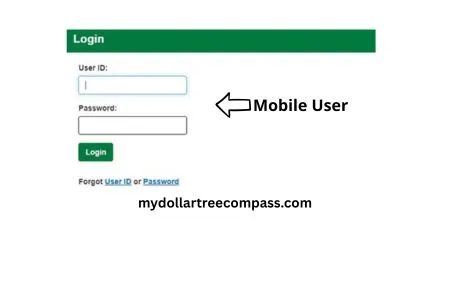
Steps to access paystub:
- Open the Dollar Tree employee login portal (payroll) or the Workday system.
- Sign in using your employee login details.
- Go to the Pay or Payroll section.
- Select Paystub or Pay Statements.
- Choose the pay period you want to view.
Once you open the pay statement, you can review your earnings, hours, taxes, and deductions.
View Paystub in Workday
Workday allows employees to view detailed payroll information for each pay period.
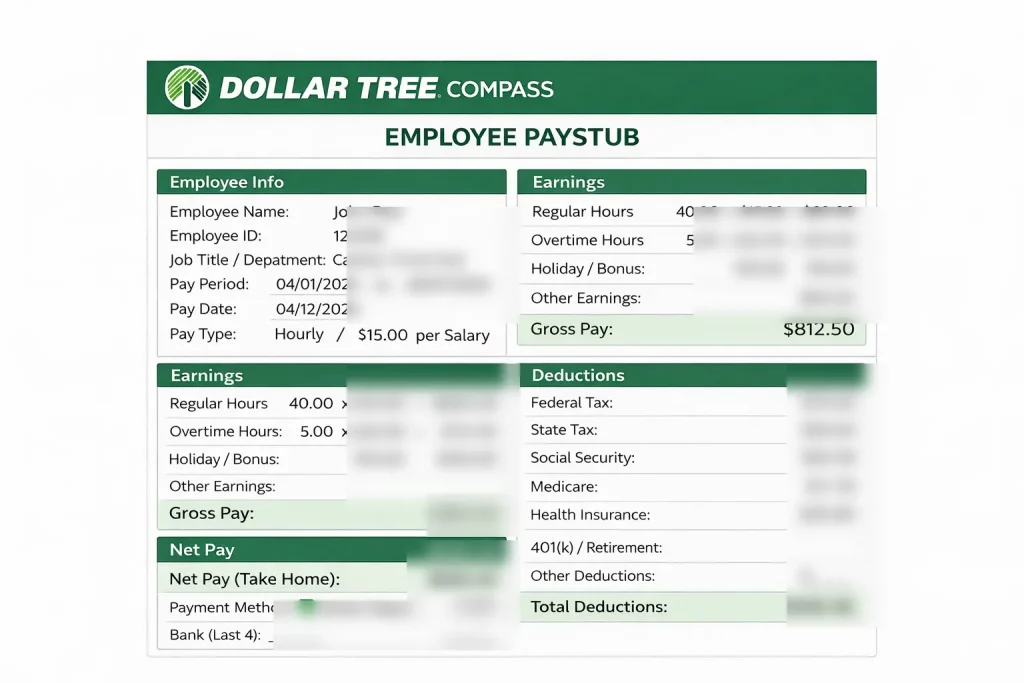
Inside Workday, employees can see:
- Gross pay
- Taxes and deductions
- Hours worked
- Overtime pay
- Net pay (amount deposited to the bank)
This section also stores previous pay statements, so employees can review older payments if needed.
Print Paystub in Workday
If you need a copy of your paystub for records, loans, or proof of income, Workday allows you to print it.
Steps to print:
- Log in to Workday.
- Open the Pay Statements section.
- Select the pay period.
- Download the statement as a PDF file.
- Print the file from your computer or phone.
Printed pay statements contain the same information shown online.
Print Paystub If You Use Direct Deposit
Even if you receive your paycheck through direct deposit, you can still print your paystub.
Direct deposit only affects how your salary is paid. It does not remove your access to pay statements.
Employees simply need to:
- Log in to the payroll portal
- Open the pay statement
- Download or print the file
This allows you to keep a physical record of your payment details.
Paystub Not Showing Yet
Sometimes employees may not see their paystub immediately. This usually happens when payroll is still being processed.
Common reasons include:
- Payroll processing is still in progress
- The pay period has not closed yet
- The system has not updated the pay statement
Pay stubs normally appear one or two days before payday. If it still does not appear after payday, it is best to contact your store manager or the payroll department.
Pay Dates and Pay Statements
Dollar Tree employees are generally paid on a bi-weekly schedule. This means workers receive a paycheck every two weeks.
Pay statements are usually released before payday so employees can check their earnings. The pay stub will show:
- Pay period start and end dates
- Total hours worked
- Earnings and deductions
- Final payment amount
Checking your pay statement early helps identify any mistakes before payday.
Wrong Pay on Paystub (Short, Missing, Extra)
If the amount on your paystub looks incorrect, review the pay statement carefully.
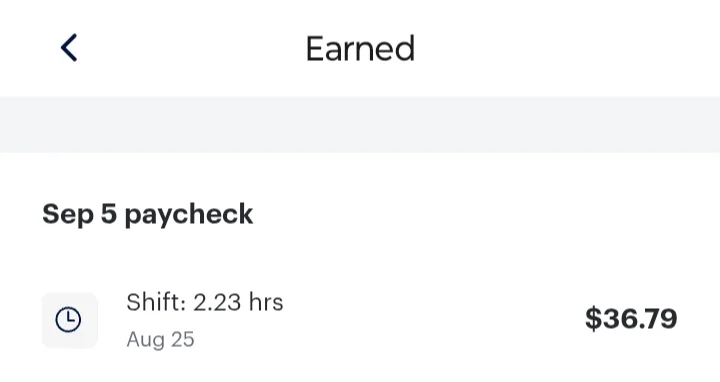
Possible reasons include:
- Missing time punches
- Incorrect work hours
- Overtime calculation issues
- Payroll adjustments from previous pay periods
If the payment still looks incorrect after checking the details, report the issue to your store manager or payroll support so they can review it.
Time Punches That Affect Pay
Your pay is calculated based on the time punches recorded during each shift.
If punches are missing or incorrect, it can affect your paycheck. Examples include:
- Clocking in late or forgetting to clock out
- System errors with punch records
- Manager adjustments to work hours
Employees should always review their punches during the pay period to avoid payroll problems.
Change Direct Deposit or Payment Info
Employees can update their payment information through the payroll system.
Changes may include:
- Updating bank account details
- Changing direct deposit settings
- Adjusting payment distribution
Make sure the information is correct before the payroll cutoff date to ensure the next paycheck goes to the correct account.
Contact Payroll for Paystub Help
If you cannot access your paystub or notice an issue with your paycheck, contact payroll support.
You can usually get help through:
- Your store manager (SM)
- District management
- The payroll or HR support team
Provide details such as the pay period and the problem you noticed. This helps payroll review the issue faster.
Can Anyone Print Their Paystub on Workday?
Employees can view and print their own pay statements if they have access to the payroll system.
Managers may also have limited access to payroll information for administrative purposes, but employees typically access their own paystub through their personal login.
When Can You View Your Pay-stub Online (Pay Week)?
Pay stub are normally available before payday. In many cases, employees can see their pay statement one or two days before the payment is deposited.
Checking your paystub early helps confirm that hours and earnings are correct.
Help Understand Your Paystub
A paystub contains several sections that explain your earnings.
Common parts of a paystub include:
- Gross Pay – total earnings before deductions
- Taxes – federal, state, and other tax deductions
- Benefits – insurance or retirement deductions
- Net Pay – final amount deposited to your bank account
Reviewing these details helps employees understand how their paycheck is calculated.
1) How do I access Dollar Tree Compass paystub?
Log in to Workday/payroll portal → Pay → Pay Stubs/Pay Statements → choose the pay period.
2) How can I view my earning statement in Workday?
Workday → Pay Statements → open the pay period to view hours, deductions, and net pay.
3) How do I print my payroll record in Workday?
Open the pay statement → Download/Save as PDF → print the PDF.
4) How do I print my payroll statement if I have direct deposit?
Direct deposit doesn’t remove paystub open Pay Statements, download PDF, then print.
5) Why is my Earning Summary not showing yet?
It may not be released yet or the system is delayed check again later; if it’s payday and still missing, contact your SM/payroll.
6) What if my pay is wrong (short, missing, or extra)?
Check hours/time punches and deductions first, then report it to your SM and ask payroll to review the pay period.